Cosintimate · Help Center

How to Order

Ordering on Cosintimate takes about 3 minutes. Follow the 8 steps below — from choosing your product to paying for it.

Average time: 3 minutes Works for retail and wholesale (bulk) orders. No account is required to place an order.
1

Choose the product and its specifications

Open the product page. Select the model, color or size you need — the price and stock update automatically. Then set the quantity: 1 pc for a sample, or the tier quantity (e.g. 10 pcs / 100 pcs) to unlock the wholesale unit price shown in the price ladder.

2

Add the item to your cart

Click “Add to cart”. A pop-up window opens asking you to choose the product attributes (model, colour or size) — click the option you need and confirm with “ok”. Repeat for every item you want; all of them go into the same cart.

3

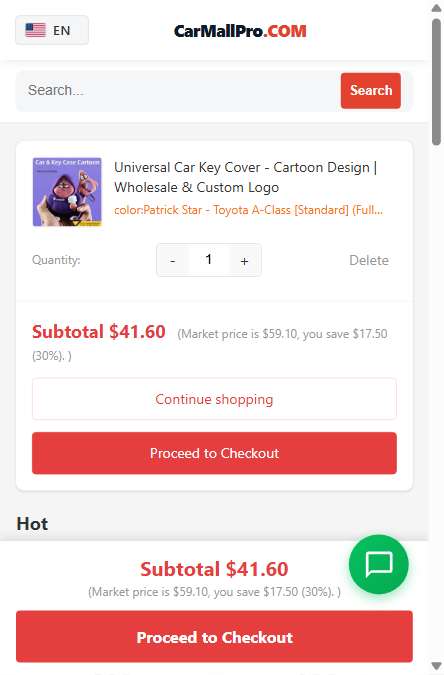
Review your cart

Click the cart icon at the top of the page. Check the product, the unit price, the quantity and the subtotal. Change the quantity with + / −, or remove a line with the delete icon.

4

Proceed to checkout

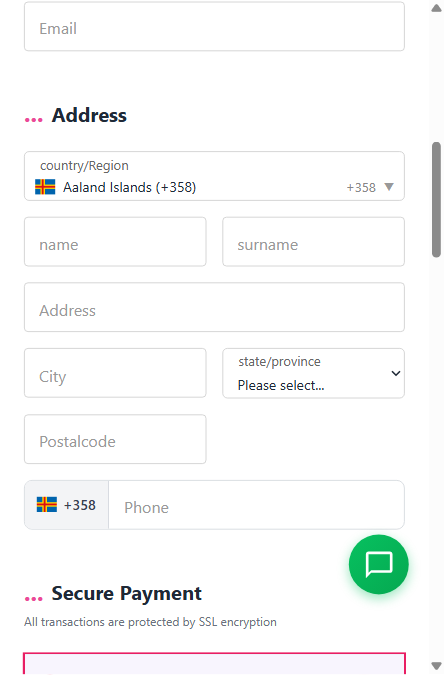
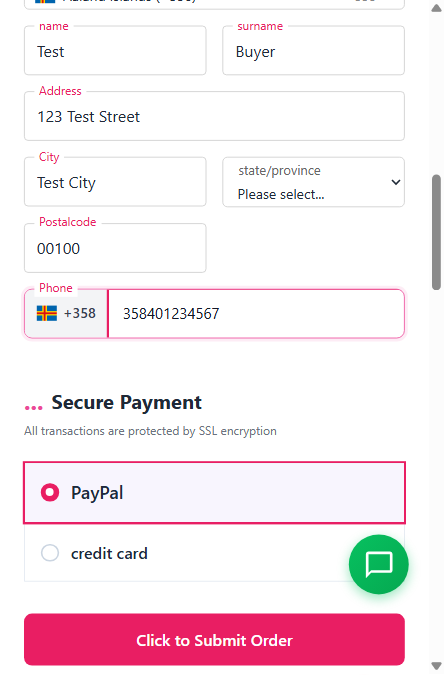
Click “Proceed to Checkout”. If you are not signed in yet, register with your email or log in — this lets you track the order later. Then fill in the shipping address: full name, phone, country, state/province, city, zip code and street address.

5

Check the summary and shipping fee

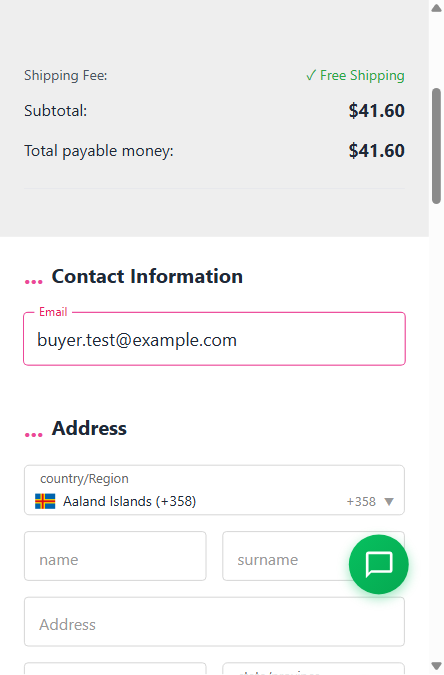
Before paying, check the order summary at the top: goods list, coupon field, shipping fee (Free Shipping — we ship worldwide at no cost) and the total payable amount in USD.

6

Choose the payment method

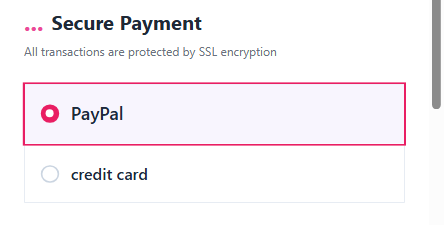
Two options are available: PayPal (you can pay with a PayPal balance, a linked card or a bank account) and Credit Card (Visa / Mastercard / American Express processed through our payment gateway).

7

Confirm and submit the order

Check the final summary: items, quantity, shipping address, shipping fee, taxes if any, and the grand total in USD. Tick the terms box and click “Submit order”. Your order number is created at this moment.

8

Pay and wait for confirmation

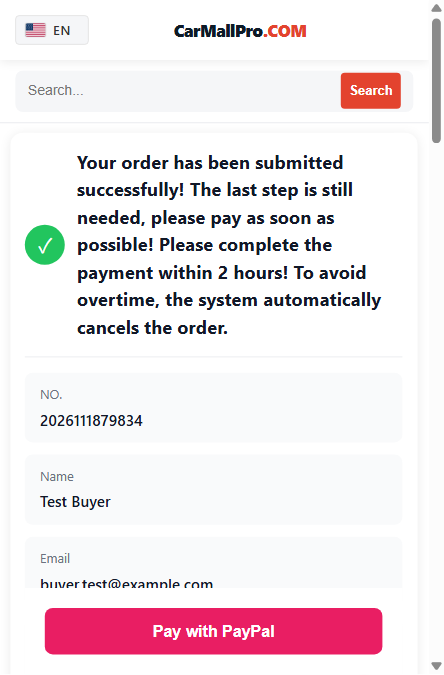
You are redirected to the secure payment page. Complete the payment, then you will see the “order completed” page and receive a confirmation e-mail with the order details and the tracking number once the parcel is shipped.

Payment methods

  • PayPal — balance, linked bank card or bank account
  • Credit card — Visa, Mastercard, American Express

All payments are processed on a secure, encrypted checkout page. We never store your card details.

Shipping & delivery

  • Worldwide delivery with free shipping on every order
  • Tracking number sent by e-mail as soon as the parcel leaves our warehouse

We ship worldwide with free shipping on every order — no charge based on country or parcel weight. Delivery time varies by destination and is shown at checkout.

Frequently asked questions

Do I need an account to order?

You can fill in the checkout as a guest, but creating an account (one e-mail, no password confirmation needed) lets you follow your order status and re-order in one click.

Is there a minimum order quantity?

No. You can order 1 piece as a sample. The wholesale price ladder shows the unit price for larger quantities — the discount applies automatically once the quantity reaches the tier.

Can I order several different products together?

Yes. Add all the items you need to the same cart and check out once — shipping is free worldwide and the whole parcel ships together.

What if the payment fails?

Nothing is charged and the order stays “unpaid”. Open “My orders”, open the order and click “Pay now” to try again, or contact our sales team and we will send you a payment link.

Ready to place your order?

Go back to the product page, choose your model and quantity, and add it to the cart.

Browse products →